
Fee History-Search
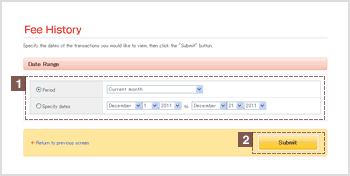
1Date Range
Click the button ( ) next to either "Periodv or "Specify dates".
Then, either click one of the periods available in the drop-down list ( ) next to "Period",
or click a desired start date and end date in the date drop-down list () next to "Specify dates".
You can access account activity for the last twelve months.
2"Submit" button
Click Submit to view the search results.