
Cancellation of Switching Instructions
Cancel Switching Instructions
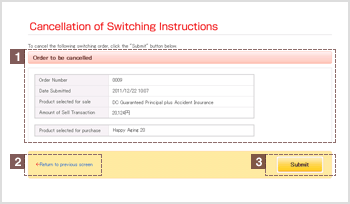
1Verify details to be cancelled
Click the "Cancel" button in the "Switching Orders Received" list to view details.
2"Return to previous screen" link
To change any cancellation details, click "Return to previous screen" and re-enter the required information.
3"Submit" button
Click Submit after verifying the information you have provided.
Switching Instructions cancelled
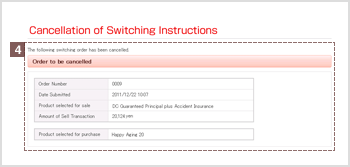
4Cancellation request submitted
Once you have cancelled a switching instruction, you will see the message, "The following switching instruction has been cancelled". followed by details of the cancelled switching instruction.
| ※ | Please be aware you need to cancel each product when you purchase more than one product at Switching. |
|---|