
Confirm/Change Participant Information
General Information—Input
| * | Contents displayed represent samples. |
|---|
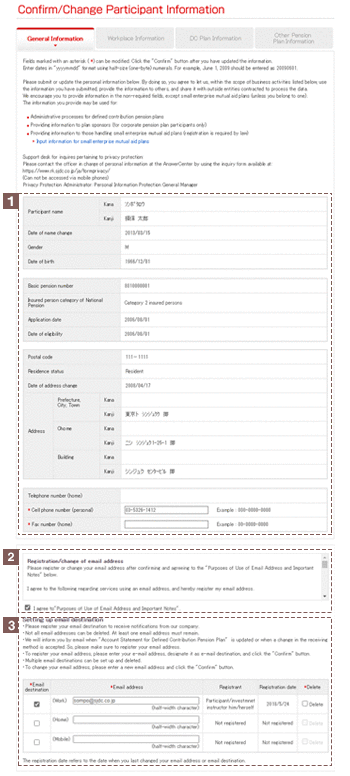
This section displays the name, address, and other personal details currently registered with Sompo Japan DC Securities.
Items indicated an asterisk(*) may be registered or updated on this screen.
Your particular eligibility classification determines what items can be updated (Refer to "DC Plan Information").
- Enter dates, telephone numbers, and other numeric data in half-size (one-byte) characters.
- Enter addresses and other details that require Japanese characters in two-byte characters.
Should any of the personal details indicated be incorrect, contact the department of your company that handles your defined contribution pension plan if you are a participant in corporate type defined contribution pension plan, or, contact the AnswerCenter if you are not a participant in corporate type defined contribution pension plan so we can assist you with the procedures.
To register or change your email address, you are required to confirm and agree to the "Purposes of Use of Email Address and Important Notes".
You can set up an email destination(s).
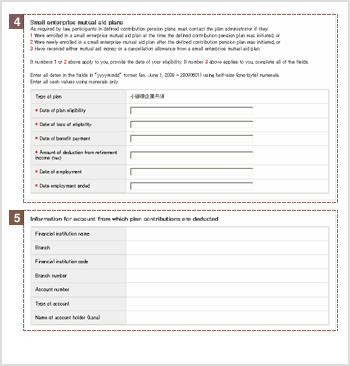
Enter the required information if you are enrolled in a small enterprise mutual aid plan. Enter all details in half-size (one-byte) characters. Dates must be entered in "yyyymmdd" format (for example, 20090601).
This section displays bank account details of accounts from which individual-type defined contribution pension plan participants pay pension contributions.
To specify a different account for such purposes, you must submit the required written documents which can be downloaded from "Downloading Application Forms" accessible from the "Request Documents" menu.
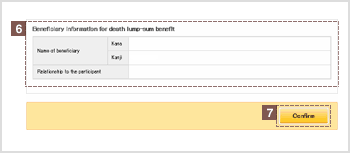
This section displays the name of the beneficiary designated to receive lump-sum death benefits.
If a beneficiary has not been explicitly designated then, as stipulated in the Defined Contribution Pension Act of Japan, the beneficiary is deemed to be the person next in line to the deceased (eg. spouse or other).
To specify a beneficiary, you must submit the required written documents. The "Application for Designation of Beneficiary for Lump-sum death Benefit" documentation can be downloaded from "Downloading Application Forms" accessible from the "Request Documents" menu.
Click "Confirm" after verifying the information you have provided.
General Information—Verify
| * | Contents displayed represent samples. |
|---|
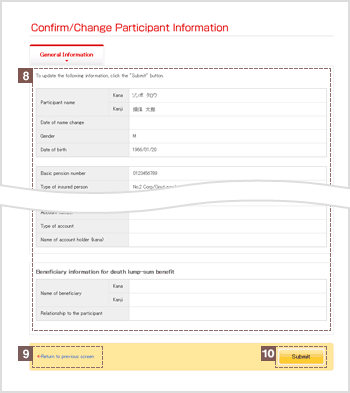
Verify the details you have provided.
If any details need to be changed, click on "Return to previous screen" and re-enter all required information.
Click Submit after verifying the information you have provided.
General Information—Request Submitted
| * | Contents displayed represent samples. |
|---|
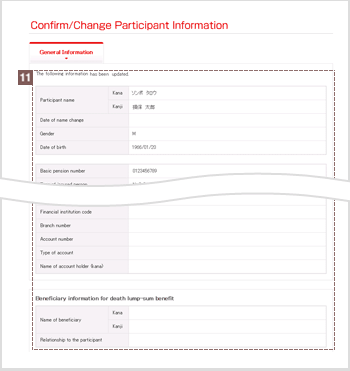
Once you have submitted the updated details, all of your updated general account information will be displayed.